Customizing Your myHumboldt Experience
Getting started
Depending on your role at the University, you will see different drop-downs across the top of the screen:

These drop-downs are used to group related information for ease of access and navigation. You can add information from other drop-downs to your My Favorites to make your My Favorites Home drop-down your one-stop destination for all the information you need at Humboldt.
Customizing your My Favorites drop-down menu
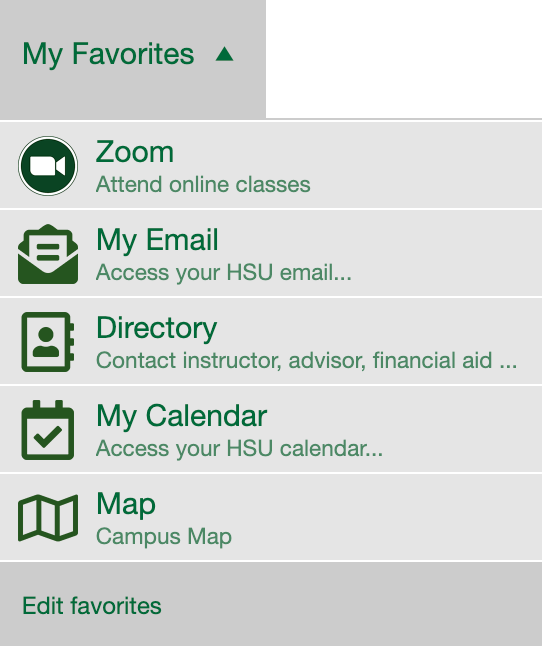
Click Edit Favorites in the My Favorites drop-down menu.
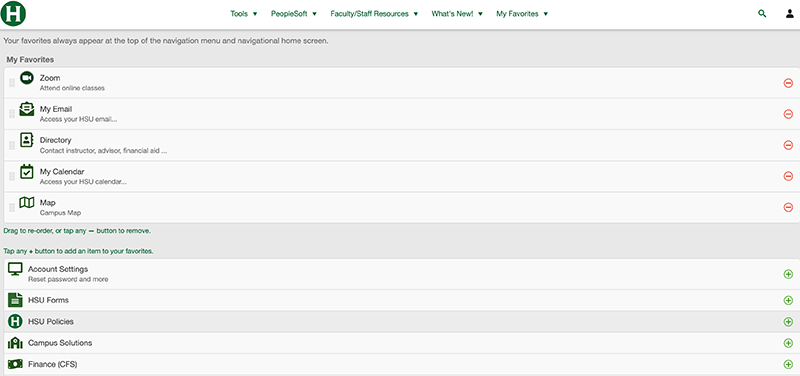
Click or tap any (+) button to add an item to your favorites; click or tap (-) to remove an item from your favorites.
If you have further questions, contact the Technology Help Desk on the web or call (707) 826-HELP (4357).
Help Desk Hours
Spring 2026Monday - Friday: 8am - 8pm
Saturday - Sunday: 11am - 3pm
After hours emergencies:
Call UPD at (707) 826-5555
System Status
| Status | System | Est. resolution |
|---|---|---|
| Available | All Systems |
|